How to
How to Log in


Firstly, click on the "Get Started" or the “Login” button. You will be prompted to enter your email.
Fill the email field with your email and click continue.
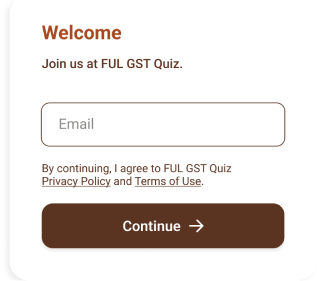
The system will check if your email is registered on our system. If the email exists, you will be asked to provide a password consisting of 8 characters. If the email is not registered, a 6-digit OTP code will be sent to your email account, and you will be required to create an account.
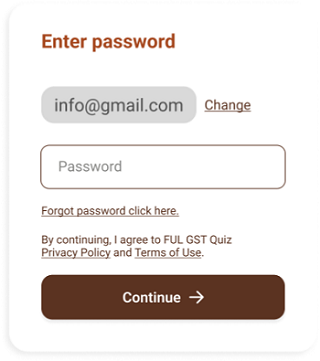
Provide the 8 character password and click “continue”.
How to create account
Firstly, click on the "Get Started" button. You will be prompted to enter your email.
Fill the email field with your email and click continue.
The system will check if your email exists in our database. If it doesn't, a 6-digit OTP code will be sent to your email account.
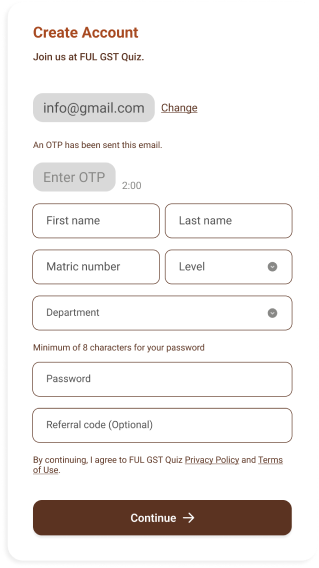
You will then fill in the OTP field with your OTP code. Next, provide the other necessary information. The referral link is not very important unless you were referred by someone and the person gives you their referral code, or you made use of a referral link, which will automatically fill the field for you; otherwise, you can leave it empty. Afterward, click continue. This is the final stage of your registration. Thank you.
How to purchase a course
Firstly, click on the "CBT Quiz" button, an option in the navigation bar at the top of the website.
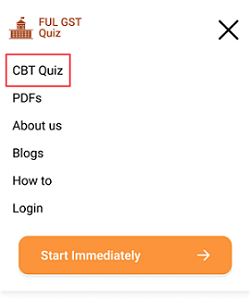

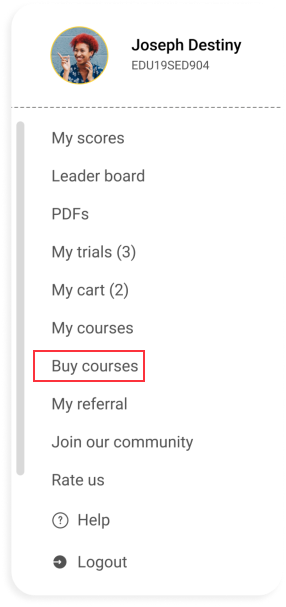
Next you select the course you want to purchase.
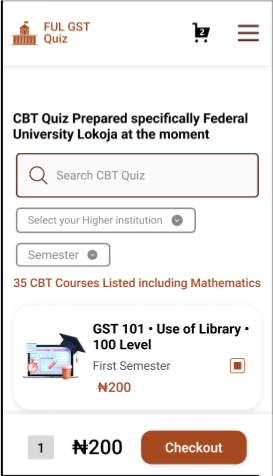
Click the check out button.
How to change profile picture?
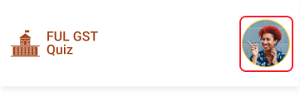
After logging into your page. click on the profile image at the top of the web page.
Click the the profile image on the menu that pops up after.
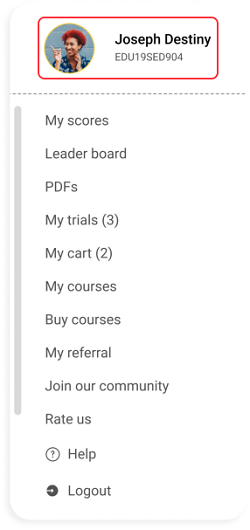
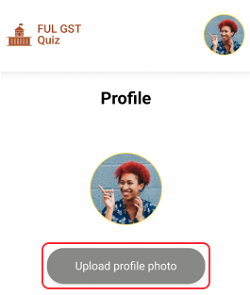
Next select upload image.
Click on the save button
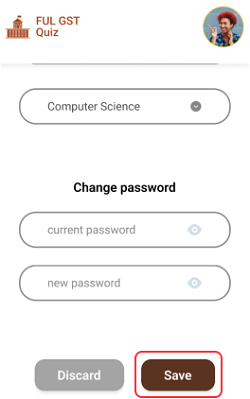
Saved
How to change password
After logging into your page. click on the profile image at the top of the web page.
Click the the profile image on the menu that pops up after.
Provide your old password for the first input and your new password for the second input.
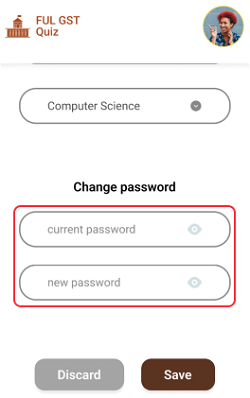
Afterwards click save.
Saved


You are about to be logged out

